Need help?
Professional advice available Monday to Friday, 8.30am-5.30pm Mon. to Fri. 8:30 a.m. – 6:30 p.m. 0333 123 3050 Call us!
brand
category
product-type
subcategory
PRICE
  • 0
    ,00 
    5 999
    ,00 

Pc monitor screen

PC Monitor Screen: Enhance Productivity and Visual Clarity

Upgrade your workspace with a high-performance PC monitor screen tailored for professional environments. Whether you're working on detailed tasks or managing multiple applications, our monitors deliver the precision you need.

  • Superior resolution for crystal-clear image quality
  • Ergonomic designs to improve comfort during long hours
  • Multiple connectivity options for flexible device integration

Explore our wide range of PC monitor screens and find the ideal solution for your office or remote setup today.
1  - 10 of 10 results found
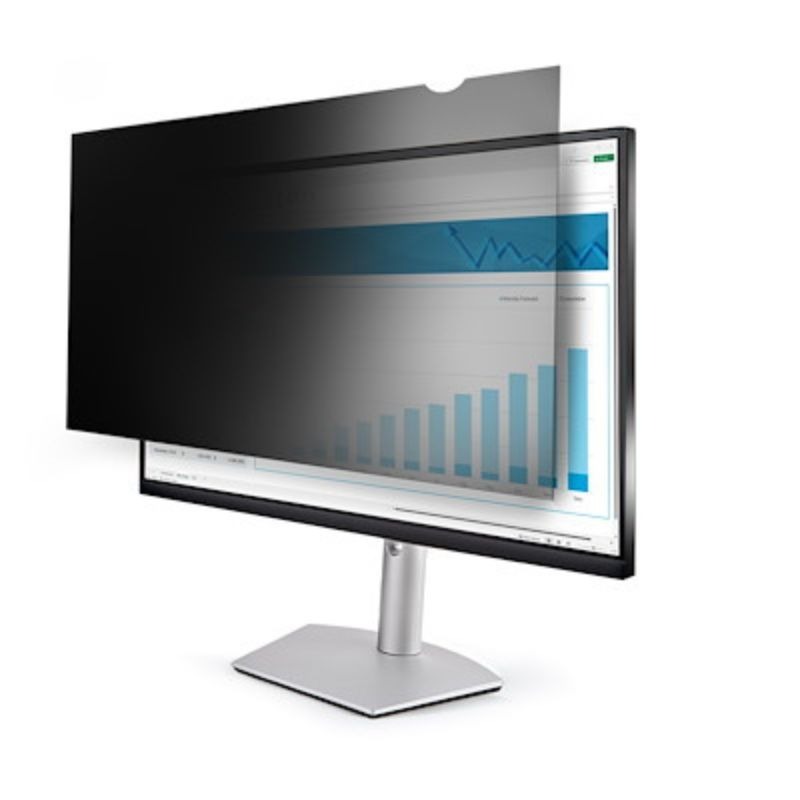
StarTech Monitor Privacy Screen for 27 inch PC Display

StarTech Monitor Privacy Screen for 27 inch PC Display

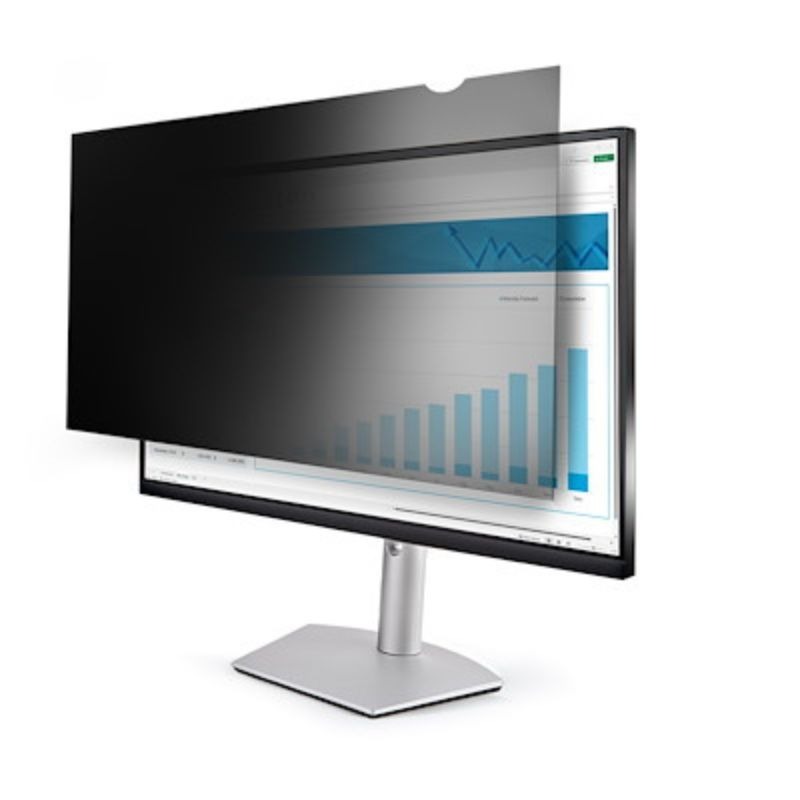
Monitor Privacy Screen for 27 inch PC Display Professional privacy protection for your 27 inch monitorProtect your confidential information in any work environment. This monitor privacy screen offers advanced security by restricting viewing angles to ±30 degrees, ensuring that only direct viewers can see the content on your screen. Whether you work in a busy office or public space, you'll have peace of mind knowing that your data remains protected from prying eyes and unauthorised observers.Key features and benefitsPrivacy and confidentiality: The ±30 degree viewing angle restriction creates an invisible barrier around the screen. Anyone looking from the side sees the screen obscured, making it impossible to read confidential information such as financial data, intellectual property, classified documents or personal data. This feature is invaluable for professionals who handle regulated information.Blue Light Reduction Technology: Prolonged screen time causes digital eye fatigue and disrupts sleep patterns. This privacy filter blocks 40% to 51% of blue light in the critical wavelength range of 380nm to 480nm. Eye fatigue is significantly reduced during long working hours, maintaining comfort and productivity all day long.Dual surface reversible design: Choose your finish depending on environmental conditions. The matte screen eliminates glare for comfortable viewing in bright offices, while the glossy screen enhances colour clarity and sharpness for detailed work. Simply rotate the display to suit your current lighting situation.Antimicrobial protection: The matt surface incorporates an antimicrobial coating that removes up to 99.99% of surface bacteria continuously. This makes the screen ideal for shared workspaces, healthcare environments and areas where hygiene and disinfection are key concerns.Damage-resistant protection: Beyond privacy, this film protects your monitor investment. The durable material resists scratches, fingerprints and dust build-up, keeping the screen pristine and extending its lifespan.Real-world applications and benefitsFinance professionals benefit from total confidentiality when handling client accounts, investment portfolios and sensitive transactions. Legal teams protecting case files and communications with lawyers are assured that privileged information remains private. Healthcare workers can securely display patient records in multi-person office areas without violating privacy regulations.Frequent travellers working in airports, coffee shops and co-working spaces eliminate the risk of exposing passwords, email correspondence or business strategies to close observers. Easy-to-apply adhesive strips allow this privacy screen to be installed in minutes, even in temporary workplaces.For corporate environments with multiple workstations on open floors, privacy screens create secure personal zones. Executives, accountants and administrative staff benefit from the reassurance that confidential data is only visible to authorised personnel at their workstations.The blue light reduction feature especially benefits remote workers and night shift employees. Reducing blue light exposure helps maintain natural circadian rhythms, improving sleep quality even after long screen sessions. Eyes stay fresher and overall well-being is improved.Technical Data: Maximum screen size27 inches (68.6 cm)Aspect ratioWidescreen 16:9Screen types supportedLCD monitorsPrivacy Viewing angle±30 degrees from centreBlue light blocking40% to 51% (wavelength 380nm-480nm)Method of installationAdhesive strips or side mounting tabsAntimicrobial protectionUp to 99,99% bacteria kill rateColourClearWidth598 mmHeight336 mmDepth2 mmWeight122 gWarranty2 years 
£88.99
Ref: STARFIL27
StarTech Monitor Privacy Screen for 20 inch PC Display

StarTech Monitor Privacy Screen for 20 inch PC Display

StarTech Privacy Screen for 20" PC DisplaysPrivacy Filter for 20" Monitors with Blue Light ProtectionThis privacy screen provides comprehensive protection for your 20-inch widescreen display. It limits the viewing angle to ±30 degrees, effectively shielding on-screen data from side glances and ensuring only users directly in front of the screen can see its content. Ideal for safeguarding confidential, proprietary, and sensitive business information in offices and public environments.Main Features and BenefitsAdvanced Privacy Protection: The ±30-degree viewing angle keeps your screen safe from unwanted observers. Whether you're working in an open-plan office, a café, or a shared workspace, this privacy filter ensures that sensitive data remains visible only to authorised viewers. A corner notch makes it easy to remove the screen when sharing content with trusted colleagues or switching between monitors.Comprehensive Blue Light Reduction: Long hours in front of a screen can cause eye strain and disrupt sleep. This privacy filter blocks between 40% and 51% of blue light within the critical 380–480 nm wavelength range. Reducing blue light exposure helps you work more comfortably, protect your vision, and maintain better sleep quality.Antimicrobial Protection: The matte side features an antimicrobial coating that continuously eliminates up to 99.99% of certain surface bacteria. This added protection makes the screen ideal for healthcare settings, shared office environments, and workplaces where hygiene is critical.Reversible Dual-Finish Design: Switch between two surface finishes depending on your needs. The matte side reduces glare for improved visibility in bright conditions, while the glossy side enhances clarity and colour accuracy for detailed work. The reversible design allows you to adapt to different lighting conditions and personal preferences.Simple Installation with Flexible Options: Install the privacy screen using residue-free adhesive strips that attach to the display bezel, or use slide-on tabs that fit over the monitor. Both methods are non-damaging and easily reversible. Additional adhesive strips and mounting tabs are available separately for reapplication or multi-device use.Practical Applications and Use CasesIn busy office settings, this privacy screen prevents visual eavesdropping during client meetings or when handling sensitive documents. With a restricted viewing angle, your display remains visible only to you, protecting your data from nearby colleagues or visitors.For professionals working in public spaces like cafés, airports, or co-working hubs, the privacy filter provides peace of mind. Financial advisors, healthcare professionals, lawyers, and consultants can handle client data securely without worrying about shoulder surfing or unauthorised access.The antimicrobial coating adds significant value in shared environments. Workers in healthcare, education, and corporate sectors benefit from ongoing surface protection without frequent manual disinfection, keeping the display cleaner and safer for longer periods.Remote workers and freelancers appreciate the blue light reduction during extended screen sessions. Combined with privacy protection, this screen creates a more comfortable and secure workspace—wherever you are. The reversible surface adapts to your lighting needs, whether you prefer matte for glare-free viewing or glossy for colour-critical tasks.Technical Specifications: Maximum Screen Size 20 inches (50.8 cm) Aspect Ratio 16:9 widescreen Screen Type Compatibility LCD Privacy Viewing Angle ±30 degrees from centre Blue Light Reduction 40% to 51% Blue Light Wavelength Range 380nm to 480nm Surface Finish Glossy / Matte (reversible) Mounting Method Adhesive strips + slide tabs Filter Colour Black Material Plastic Product Weight 98 grams Dimensions (H x W x D) 250mm x 443mm x 2mm Warranty Period 2 years Technical Support Free lifetime support
£57.99
Ref: PRIFIL20P
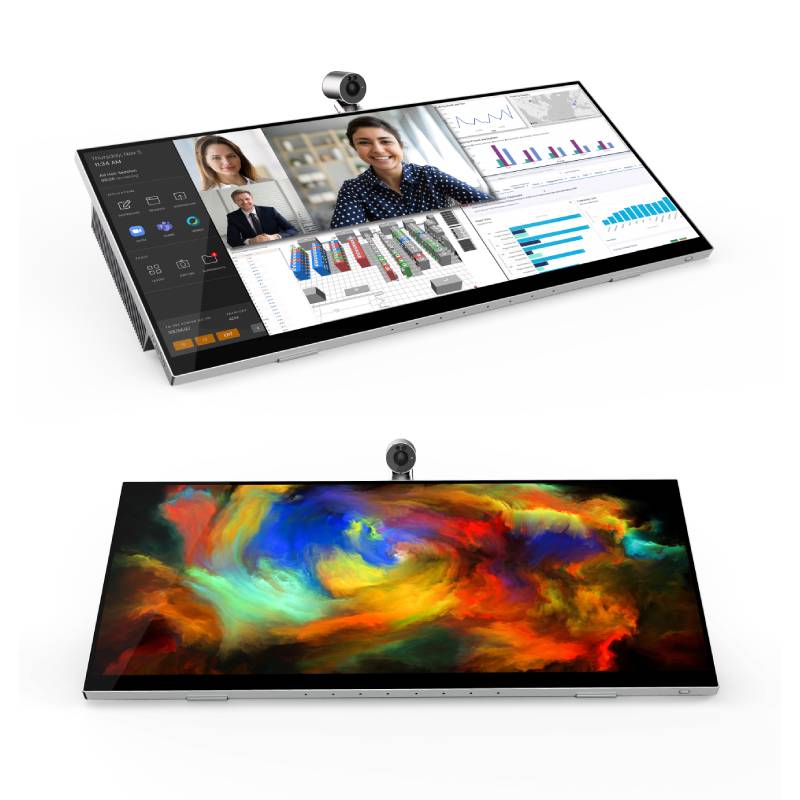
Jupiter Pana 34

Jupiter Pana 34

Jupiter Pana 34 All-in-one panoramic screen for the office Say goodbye to traditional desktop monitors! The Jupiter Pana 34 brings a breath of fresh air to your individual workstations by improving interaction and collaboration between teams.Portable, the Pana 34 stands out thanks to its flexible stand. It can be tilted (5° downwards and 60° upwards) and swivelled (45° to the left or right), allowing you to set up the device according to your preferences: as a traditional monitor, as a desktop tablet or in raised mode. The 34-inch screen has an ultra-wide 21:9 panoramic display. A 4K camera with pan and tilt movement completes this device, with its native 21:9 adjustment providing a full-screen experience. The 8 digital microphones capture voices from up to 7 metres away and use echo cancellation and noise suppression to ensure clear voice quality. The set of 24W speakers delivers authentic sound through a bass reflex architecture.High-end touch experience This frameless HDR screen offers a 10-point multi-touch experience, using your finger or the included stylus . With a refresh rate of 165Hz, FreeSync and a response time of 1ms, this model is also ideal for the most intense gaming sessions.Designed for human interaction, the Jupiter Pana 34 displays more information thanks to its larger work surface. Perfect for collaboration, it improves everyone's understanding and productivity.Technical specifications: 34-inch professional monitor VA LCD panel with 3,440 x 1,440 pixel resolution 21:9 widescreen displayEdge-lit LED backlighting 178° viewing angle Brightness: 400 nits (HDR) / 350 nits (normal)Contrast ratio: 10,000,000:1 (DCR) / 4,000:1 (normal) Response time: 1ms MPRT / 7ms with OD Driver4K camera (3,840 x 2,160px) @30fps Automatic exposure, white balance, and gain controls Windows Hello support Two 12W speakers8-microphone digital array 7-metre capture range Algorithms: beamforming / echo cancellation / noise suppression / reverberation Active Microsoft Pen Protocol stylus with 10-point simultaneous multitouch4096 pressure sensitivity levels Ports: 1 x DisplayPort / 1 x HDMI 2.1 / 1 x USB-C / 1 x USB-A 3.2 Gen1 / 1 x 3.5mm audio / 1 x USB-B 3.2 Gen1 Power supply: DC 24V 6.24A Power consumption: 55W (normal) / 0.5W (standby) / 0.3W (OFF) Tilting stand (5° down and 60° up) + swivel (45° left or right)VESA mounting 100x100mm Dimensions and weight: 817.72 x 371.77 x 59.1mm / 11.8kg
£1588.95
£1126.95
-29%
Ref: JUPPANA31T
Poly Studio P21 Personal Meeting Display

Poly Studio P21 Personal Meeting Display

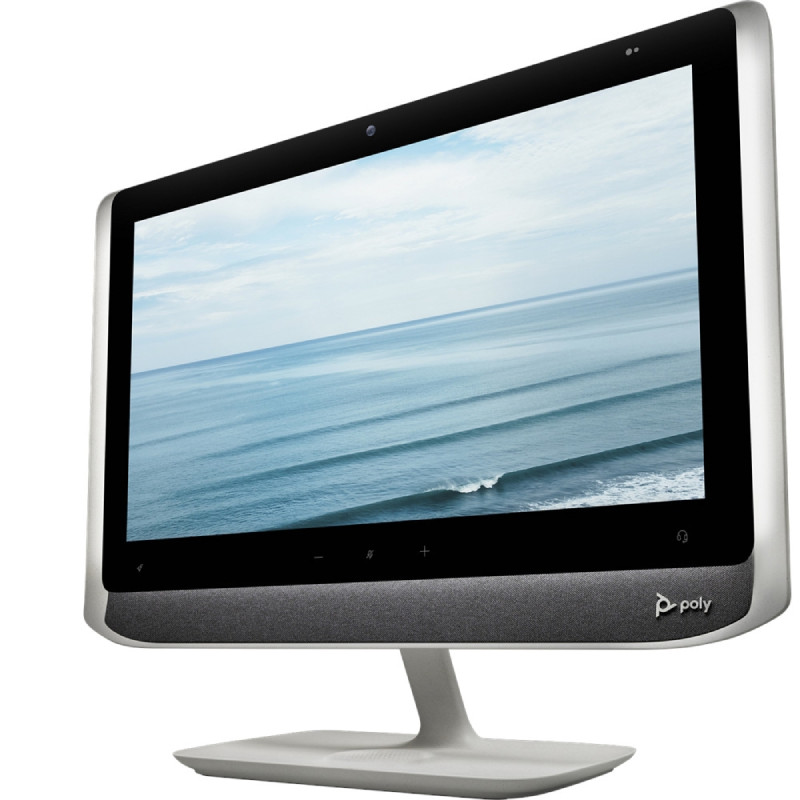
Poly Studio P21 - Personal Meeting Display for Professional Video CollaborationThe personal meeting display is designed to simplify video conferencing in individual workspaces. Combining a professional monitor, camera, microphone and stereo speakers in a single device, it enables a complete collaboration setup through one USB connection to a PC or Mac.With enterprise-grade display quality, integrated lighting and Poly’s renowned audio technology, the solution delivers a consistent and professional experience for remote meetings, hybrid work and everyday communication.All-in-One Workspace CollaborationThis device integrates a 21.5-inch Full HD display, high-quality camera, microphone and stereo speakers in one compact unit. The all-in-one design helps reduce cable clutter and simplifies installation while maintaining a professional meeting environment.By connecting via USB, the display functions as both a monitor and a conferencing device, supporting video meetings directly from your computer.Professional Video and Intelligent LightingThe integrated camera provides Full HD 1080p resolution with up to 4x digital zoom, helping ensure sharp video quality during meetings. Manual pan, tilt and zoom adjustments can be managed through the desktop management application.Built-in adjustable ambient lighting helps illuminate the user during calls, improving visibility in different office lighting conditions and ensuring a consistent professional appearance.Clear Audio with Integrated Stereo SpeakersThe device features dual stereo speakers and a directional MEMS microphone designed to focus on the speaker while reducing background noise and reverberation. This ensures clear communication for calls, meetings and collaboration.Audio performance supports wide frequency response for natural voice reproduction and comfortable listening during long meetings.Secure and Easy Device ManagementAn integrated privacy shutter gives users full control over the camera when not in use. Physical controls allow quick access to volume, mute and additional programmable functions.For IT teams, Poly Lens cloud management and the Poly Lens desktop application enable device configuration, monitoring and updates across deployed devices.Compatibility and Use CasesThe display works with any video conferencing application that supports standard USB video and audio devices. It is compatible with Windows and macOS computers and integrates easily into personal offices, remote workspaces and hybrid meeting environments.Additional USB ports allow connection of accessories such as wireless headset adapters or peripherals, making the device a practical hub for modern workstations. Specifications based on the official manufacturer documentation.Technical specifications:SpecificationValueDisplay size21.5 inch LCDResolution1920 × 1080 Full HDAspect ratio16:9Brightness250 cd/m²Contrast ratio1000:1Viewing angle89° typicalCamera resolution1080p Full HDCamera field of view80° DFOVDigital zoomUp to 4xMicrophone typeUni-directional MEMS microphoneSpeaker systemDual stereo speakersSpeaker power10 W per channelAudio frequency response80 Hz – 20 kHzMicrophone frequency response50 Hz – 20 kHzUSB interface1 × USB-C (USB 3.0 compatible with USB 2.0)Additional ports2 × USB-A (5W per port), 3.5 mm audio jackSecurityKensington lock slotPower supplyExternal DC power supply 120/240V 80WOperating systemsWindows 8.1 / 10 and macOS 10.14.6 or laterWireless chargingIntegrated mobile phone chargingDimensions (setup)575 × 187 × 478 mmWeight6.8 kg
£461.95
Ref: POSTUDIOP21UK
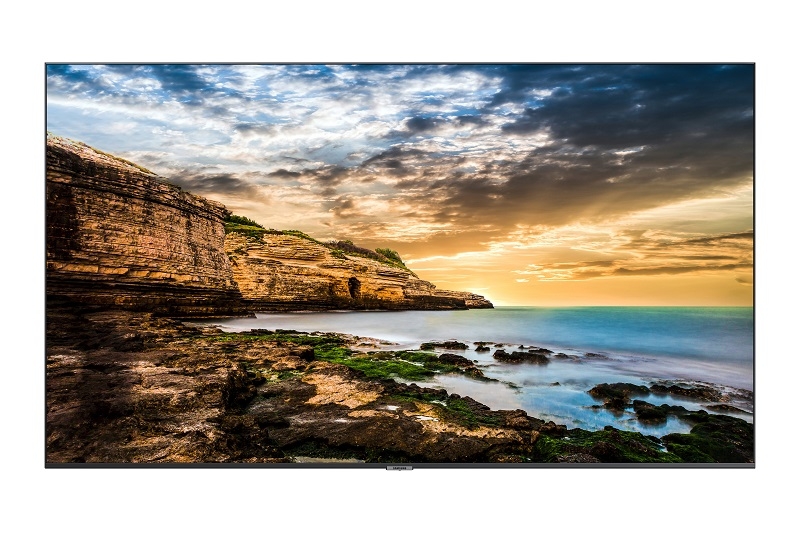
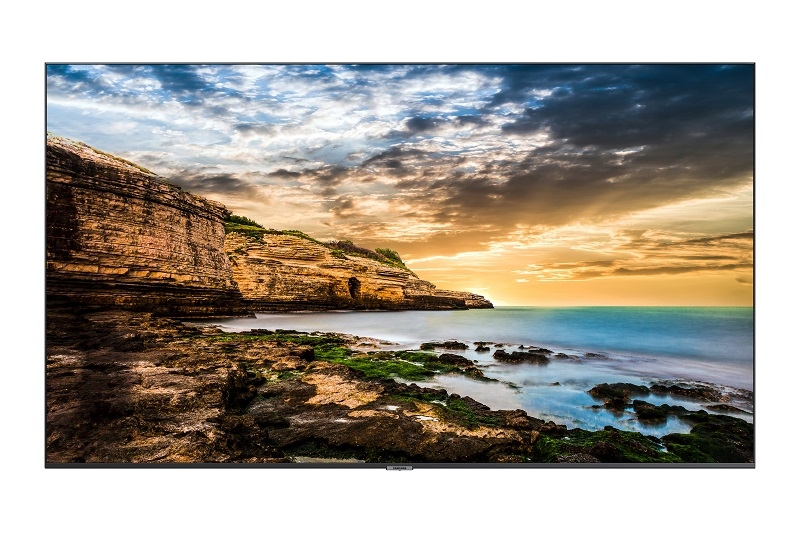
Samsung professional monitor Series QET - 65'' version

Samsung professional monitor Series QET - 65'' version

Samsung QET 65''UHD digital signage for all your professional establishments!The screens in the Samsung QET series are the essential tools for professional digital signage! Meeting rooms, retail outlets, public buildings and even station concourses: they blend in with any décor. And how do they do that? Thanks to their slim, uncluttered design, and their availability in 6 different sizes!To improve communication with your customers or colleagues, turn to Samsung's QET range! With a UHD resolution panel, natural colour reproduction technology (Crystal Color) and an image quality enhancement module (Upscaling UHD), everyone will be captivated by what's displayed on the screen. And if you need to broadcast video content, it's possible thanks to the 2 on-board speakers, each rated at 10W. In short, these screens are the key to your success!Designed to operate for 16 hours a day, 7 days a week, these screens make it easy to broadcast in all your establishments! Take your PC or USB key, connect it to the device, and see your content appear on screen, as if by magic! Want to add content or manage remote viewing? Rely on MagicInfo Player software!Technical specifications :65-inch panel with UHD resolutionCrystal Color technology: vivid, natural coloursBrightness: 300cd (indoor)Colour: 16.7MLandscape orientation onlyMaximum operating time: 16H/d; 7d/7Integrated speakers (10W+10W)Content sharing: PC or USB keyMagicInfo Player software: remote content managementConnectivity: 1XUSB, RJ45, 2XHDMI, Mini-jackPower supply: 240V; 50-60HzPower consumption: 204W on; 0.5W standbyMounting: wall-mounted (VESA 400x300mm) or on standDimensions and weight: 1449.4 x 830.3 x 59.9 mm / 21.2kg
£1159.99
£1099.99
-5%
Ref: SAQE65TUK
iiyama ProLite T1732MSC-B1S

iiyama ProLite T1732MSC-B1S

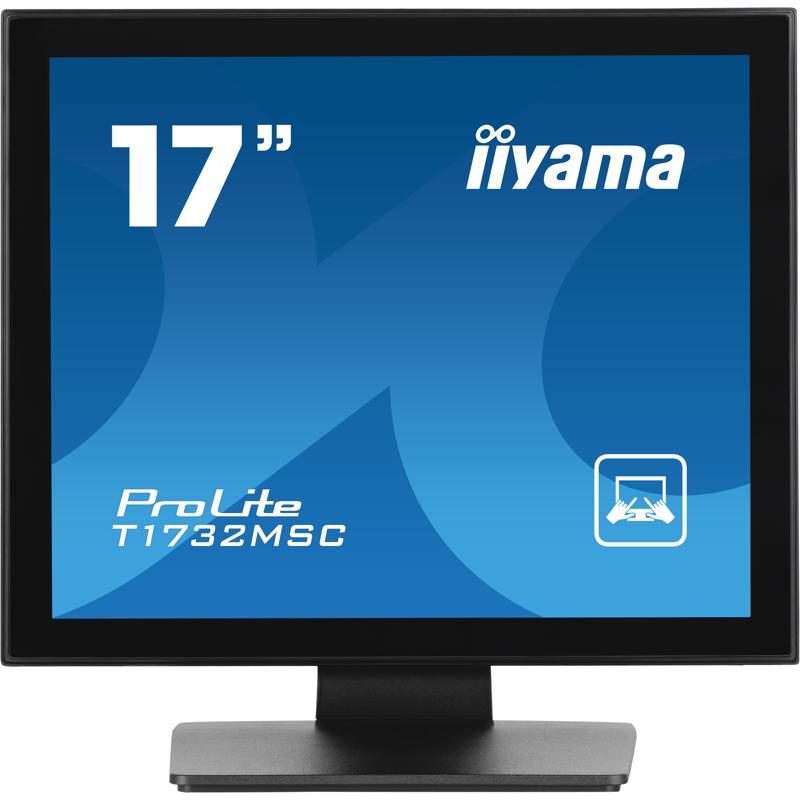
iiyama ProLite T1732MSC-B1SWhat if your PC monitor became a touchscreen?This PC monitor fits perfectly into any professional or educational environment – discover the iiyama ProLite T1732MSC-B1S! Its main advantage? It’s one of the few office devices with a 10-point touchscreen! Whether you're working on a collaborative project or browsing the web, you’ll enjoy a smooth experience using your finger, a stylus, or even gloves.With a 17” screen, 1280 x 1024 resolution, 250 cd/m² brightness, and a 1000:1 contrast ratio, your visuals will be exceptionally clear! In addition to its 2 built-in 1W speakers, this monitor features a full range of connectivity options (VGA, DisplayPort, HDMI,...) to ensure maximum compatibility with your devices. Thanks to its 100x100mm VESA mount and the ability to tilt forward up to 90°, it offers excellent flexibility for placement in any workspace!Technical specifications:17" TN display with 1280 x 1024 resolutionContrast ratio: 1000:1Brightness: 250 cd/m²Response time: 5msViewing angles: 178°/178° (horizontal/vertical); 89°/89° (left/right); 89°/89° (front/back)10-point touchscreen technologyTouch modes: finger, glove, and stylusSpeakers: 2 x 1WTiltable: 90° forward, 5° backwardPower consumption: 20W (in use); 1.5W (standby); 0.3W (off)IP54 rated: dust protectionPorts: 1 x VGA in; 1 x HDMI in; 1 x DisplayPort in; 1 x mini-jack in; 1 x HDCPVESA mount: 100x100mmDimensions and weight: 387 x 378 x 240mm / 4.9kg
£350.00
Ref: IIYT1732MSCB1S
Samsung professional monitor Series QET - 43'' version

Samsung professional monitor Series QET - 43'' version

Samsung QET 43''UHD digital signage for all your professional establishments!The screens in the Samsung QET series are the essential tools for professional digital signage! Meeting rooms, retail outlets, public buildings and even station concourses: they blend in with any décor. And how do they do that? Thanks to their slim, uncluttered design, and their availability in 6 different sizes!To improve communication with your customers or colleagues, turn to Samsung's QET range! With a UHD resolution panel, natural colour reproduction technology (Crystal Color) and an image quality enhancement module (Upscaling UHD), everyone will be captivated by what's displayed on the screen. And if you need to broadcast video content, it's possible thanks to the 2 on-board speakers, each rated at 10W. In short, these screens are the key to your success!Designed to operate for 16 hours a day, 7 days a week, these screens make it easy to broadcast in all your establishments! Take your PC or USB key, connect it to the device, and see your content appear on screen, as if by magic! Want to add content or manage remote viewing? Rely on MagicInfo Player software! Technical specifications :43-inch panel with UHD resolutionCrystal Color technology: vivid, natural coloursBrightness: 300cd (indoor)Colour: 16.7MLandscape orientation onlyMaximum operating time: 16H/d; 7d/7Integrated speakers (10W+10W)Content sharing: PC or USB keyMagicInfo Player software: remote content managementConnectivity: 1XUSB, RJ45, 2XHDMI, Mini-jackPower supply: 240V; 50-60HzPower consumption: 121W on; 0.5W standbyMounting: wall-mounted (VESA 400x300mm) or on standDimensions and weight: 963.9 x 558.9 x 59.6 mm / 8.4 kg
£582.99
Ref: SAQE43TUK
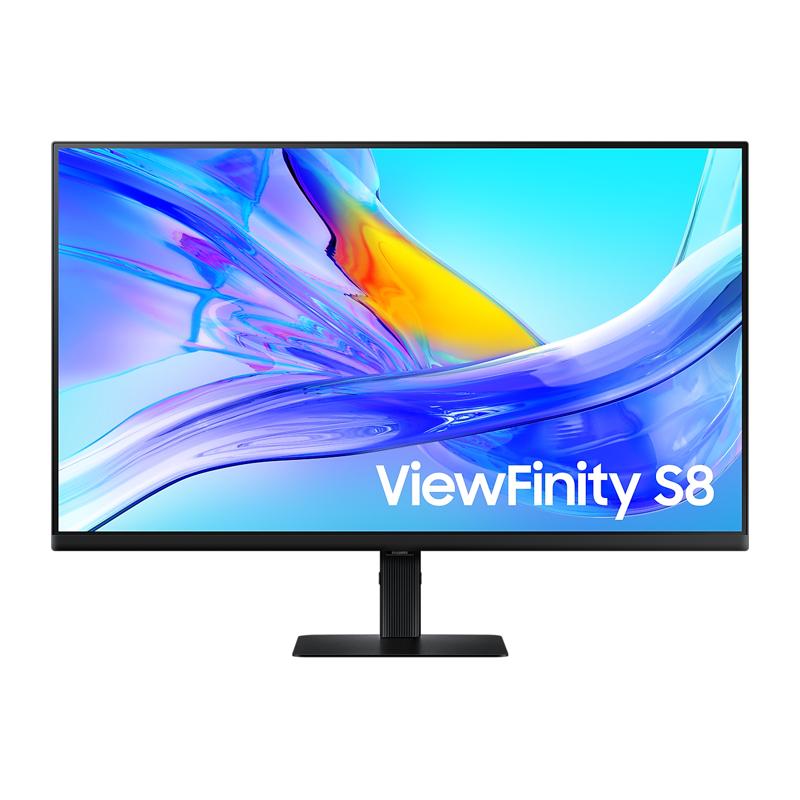
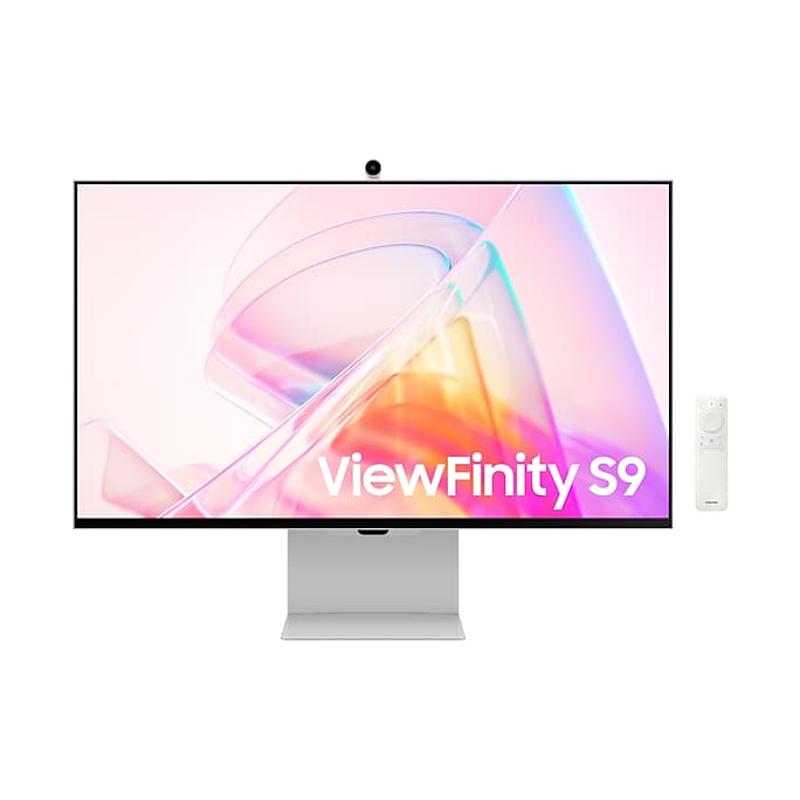
Samsung M50D 32'' Full HD

Samsung M50D 32'' Full HD

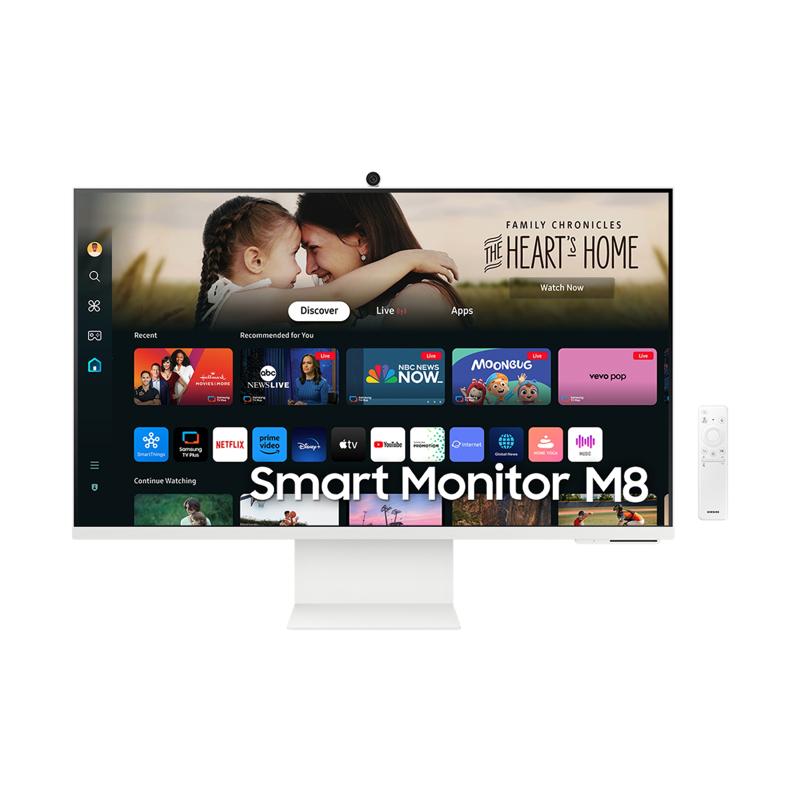
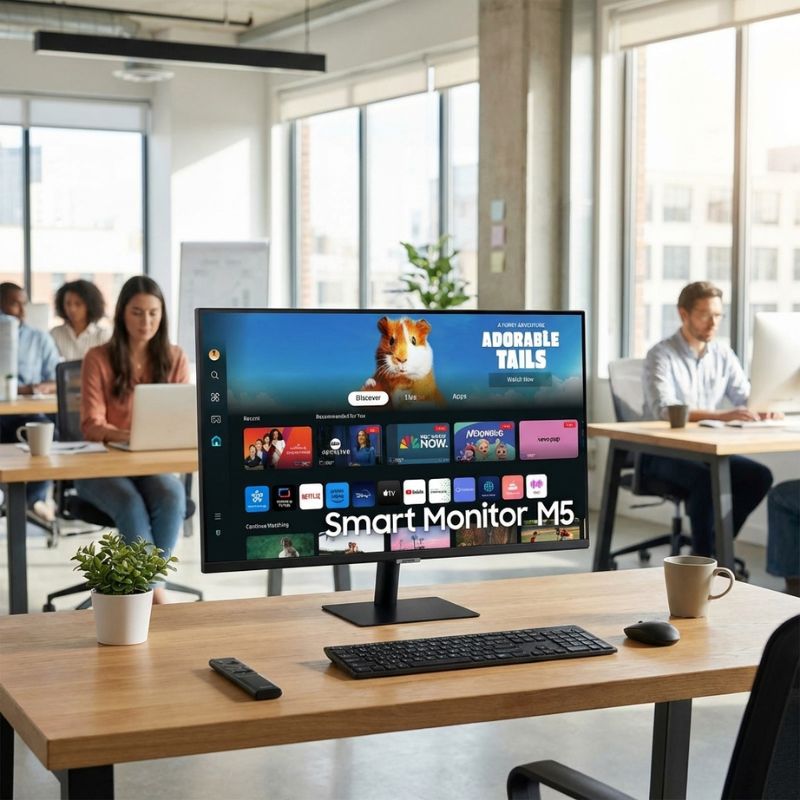
Samsung M50D 32'' Full HDThis 32-inch full HD smart monitor redefines your viewing experience. With built-in speakers and a remote, this monitor combines the best of work and play.Instant access to your favourite OTT content means you can enjoy endless entertainment. The Smart Monitor enables you to stream from various services, while Samsung TV Plus provides free live channels.The customizable setup with HDMI and USB-A ports allows you to connect multiple devices effortlessly. Whether you are working on your laptop or watching a movie from your tablet, switching between tasks is a breeze.Gamers will love the ultimate gaming hub, enabling you to play the latest titles without needing any additional consoles. Just connect and start playing with your friends online.With SmartThings integration, managing your smart home has never been easier. Visualise energy usage and control devices from one central hub, reducing your bills.Stay active with the workout tracking feature. Stream fitness classes while managing your health data on-screen, creating a more engaging workout atmosphere.Display Size: 32 inches (81.3 cm)Resolution: 1920 x 1080 pixelsRefresh Rate: 60 HzBrightness: 250 cd/m²Response Time: 4 msAspect Ratio: 16:9Panel Type: VAWeight: 6.2 kgThis monitor is designed to enhance your productivity and entertainment. Experience the perfect fusion of technology and convenience. Don't miss out on elevating your workspace or entertainment. Grab yours today!
£229.99
£212.99
-7%
Ref: SALS32DM500EUXXU
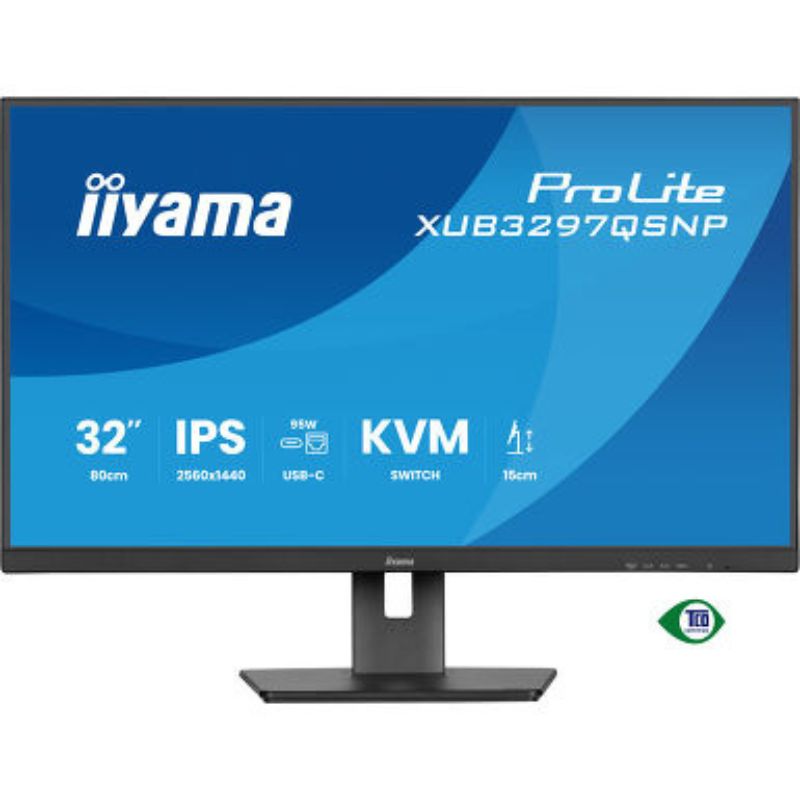
iiyama ProLite XUB3297QSNP-B1

iiyama ProLite XUB3297QSNP-B1

iiyama ProLite XUB3297QSNP-B1The iiyama ProLite XUB3297QSNP-B1 is a professional 32″ QHD monitor with an integrated USB-C dock and KVM switch. It’s designed for workplaces that require maximum flexibility, minimal cabling, and efficient multi-PC operation.Video specifications and performanceThe display supports a native resolution of 2560 × 1440 (QHD) at up to 100 Hz. It offers a brightness of around 350 cd/m², a static contrast ratio of 1000:1, and a dynamic contrast ratio of up to 80M:1. The response time (MPRT) is approximately 1 ms. With wide 178° horizontal and vertical viewing angles, visuals remain consistent from any direction. The monitor also supports daisy chaining (MST) via DisplayPort Out, allowing multiple monitors to be connected in sequence.Device and software compatibilityThe monitor is compatible with Windows, macOS, and Linux. Through the USB-C dock, video, audio, data, and network connections are transmitted via a single cable. When connected via USB-C, your laptop also gains LAN connectivity. The KVM switch allows seamless switching between two connected PCs using one keyboard and mouse. For multi-monitor setups, the daisy-chain feature is available via DisplayPort-Out.Collaborative features: what makes it stand outThe monitor reduces cable clutter thanks to its USB-C dock with integrated network (LAN) and Power Delivery. The built-in KVM switch enables easy control of multiple workstations from a single setup. The daisy-chain function allows effortless expansion to additional monitors. Thanks to Flicker-Free technology and a Blue Light Reducer, eye strain is minimised even during long working hours.Technical specifications Panel type: IPS, LED, matte Resolution: 2560 × 1440 (QHD) Aspect ratio: 16:9 Brightness: 350 cd/m² Contrast ratio (static): 1000:1 Response time (MPRT): approx. 1 ms Viewing angles: 178° / 178° USB-C dock: 95 W Power Delivery, LAN, data transfer Connectivity: HDMI, DisplayPort, USB-C, USB hub, RJ45 LAN KVM switch: yes Daisy chain (MST): via DisplayPort Out Ergonomics: height-adjustable, tilt, and swivel functions Power consumption: approx. 40 W (typical), Certifications & efficiency: TCO, CE, etc.
£217.00
Ref: IIYXUB3297
Samsung QET 75'' Digital signage

Samsung QET 75'' Digital signage

Modern displays with incredible performance Samsung QET SeriesSamsung has launched a new range of professional monitors for businesses and shops: the QET series. These sleek and stylish devices, available in a range of sizes, will fit perfectly into your workspace, business, or any other environment and will greatly enhance your communication with both colleagues and customers.Take part in an extraordinary visual experience with Samsung's professional QET series displays, which have some very advanced technical features. These include 4K UHD, 3840x2160 pixel resolution, Crystal Color technology for vivid and natural colours, and UHD Upscaling, which dramatically improves the resolution of an image, even if the original is not very sharp. This means that your colleagues and customers will be completely captivated by the content on offer and your success will be all the greater.Primarily designed for all professional establishments, both corporate and commercial, the QET series displays have a maximum operating time of 16 hours per day, 7 days a week, so you can broadcast content throughout the day. Thanks to the included MagicInfo Player software, you are able to add new content via a pc or USB stick and manage its delivery remotely.Technical specifications:Samsung QET series professional monitor - 75" version4K UHD screen3840x2160 pixel resolutionCrystal Color technology for vivid and natural coloursBrightness: 300cd (indoor)Colour: 16.7MLandscape orientation onlyMaximum operating time: 16H/d; 7d/7Built-in speakers (10W+10W)Connectivity: 1XUSB, RJ45, 2XHDMI, Mini-jackPower supply: 240V; 50-60HzStandby power consumption: 0.5WStand or wall mountVESA mounting: 200x200mmMagicInfo Player software for content management via PC or USBProduct guaranteed for 3 years
£1863.00
£1368.99
-27%
Ref: SAQE75TUK

PC Monitor Screen: The Key to Optimal Display and Productivity

Whether for office work, content creation, or general business use, a PC monitor screen is a crucial component of any professional workstation. These displays not only offer greater clarity and performance, but also improve posture and workflow when properly selected. In this guide, we’ll cover the main benefits of using dedicated PC monitors, share practical usage tips, and answer common questions to help you choose the most suitable display for your business needs.

Benefits of Using a PC Monitor Screen

  • Enhanced Display Quality: Modern PC monitor screens deliver high resolutions such as Full HD, QHD, and 4K, ensuring sharp visuals, better contrast, and vivid colours, especially important for graphic design, data analysis or video conferencing.
  • Improved Ergonomics: Monitors with height-adjustable stands and tilt/swivel features help maintain good posture and reduce eye and neck strain over long hours of work—unlike laptop screens which are often positioned too low.
  • Increased Productivity: A larger or dual-screen setup allows users to multitask more effectively. Comparing documents side by side or monitoring multiple dashboards is easier and quicker, saving valuable time.
  • Better Refresh Rate and Response Time: Especially for users in creative industries or financial sectors, fast response times (5ms or less) and high refresh rates (75Hz and up) help avoid motion blur and lag.
  • Energy Efficiency and Eye Care: Many PC monitors include features such as low blue light filters and automatic brightness adjustment, reducing eye fatigue while consuming less power throughout the workday.
  • Multiple Connectivity Options: HDMI, DisplayPort, VGA, USB-C—modern monitors support a wide range of inputs, offering compatibility with all types of computers and docking stations.

Usage Tips

To get the most out of your PC monitor screen, it’s important to position it at the correct height and distance. Ideally, the top of the screen should be at eye level, and the screen should be placed about an arm’s length away from the user. Adjust the tilt to reduce glare, and keep the brightness and contrast at comfortable levels depending on the lighting in your workspace.

Additionally, make sure to regularly clean your monitor using a soft microfiber cloth to avoid dust accumulation, which can reduce clarity. If you work long hours, activate blue light reduction modes during the evening to ease eye strain. And don't forget to keep drivers and firmware updated for optimal performance, especially for USB-C or DisplayPort-based models.

Q&A

What size PC monitor is ideal for work?
Most professionals prefer monitors between 24" and 32", as they offer a good balance between screen real estate and desk space. Ultrawide monitors are also a popular option for multitaskers or designers.

Can I use a TV as a PC monitor?
Technically yes, but TVs generally have slower response times and may lack the ergonomic design and pixel density that a dedicated monitor offers. For prolonged use, a true monitor is strongly recommended.

What’s the difference between HDMI and DisplayPort?
Both transmit high-definition video and audio, but DisplayPort generally supports higher resolutions and refresh rates. It’s often preferred for dual-screen or high-performance setups.

Do I need a monitor with built-in speakers?
Not necessarily. While built-in speakers can be convenient, external speakers or headsets usually offer better sound quality. Still, they’re a good backup for video calls or alerts.

Is it worth investing in a 4K monitor for office use?
It depends on your tasks. If you work with graphics, video editing, or need high pixel density for detailed spreadsheets, 4K is worth it. For standard office tasks, Full HD or QHD is typically sufficient.

Summary

A PC monitor screen is more than a display—it’s a productivity tool. Browse our range now to find the perfect screen for your workspace and elevate your daily performance.